Balloon Stamp Brush for Procreate Vol.2: 3D Character Designs
If you have ever wanted to create vibrant, three-dimensional balloon characters but didn't want to spend hours modeling them from scratch, the Balloon Stamp Brush for Procreate Vol.2 is exactly what you need. This digital tool transforms the way artists and crafters approach character design by offering a seamless bridge between simple brush strokes and complex 3D aesthetics. Whether you are an experienced illustrator looking to speed up your workflow or a small business owner needing unique assets for your brand, this collection provides a versatile foundation for endless creative possibilities.
What Makes This Collection Special?
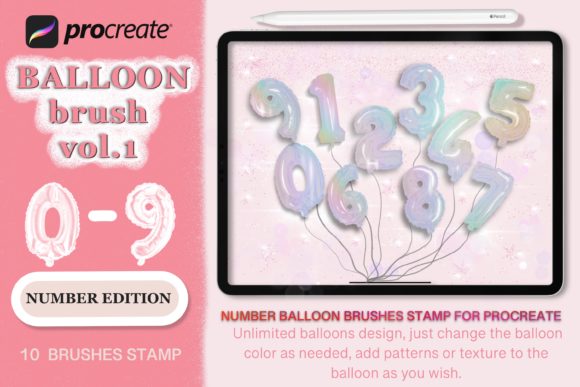
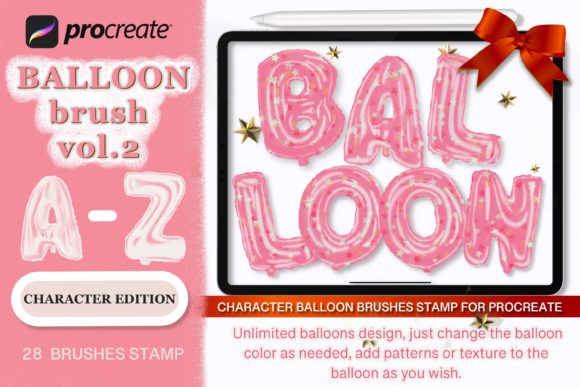
The core value of the Balloon Stamp Brush for Procreate Vol.2 lies in its ability to simulate realistic 3D balloons with just a single tap. Unlike standard flat stamps, these brushes are designed with depth, shading, and highlights that mimic real latex textures. The "Character Edition" takes this a step further, allowing you to build custom 3D character balloons using specific parts. You can mix and match different features to create unique mascots, holiday figures, or personalized avatars without needing advanced 3D software skills.
This tool is particularly appealing because it removes the technical barrier of learning complex modeling programs. Instead, you focus on creativity. The brushes come pre-configured to work perfectly within the Procreate app, meaning you can instantly change colors, adjust opacity, and layer elements just like you would with traditional paint. It turns a potentially time-consuming task into a fun, intuitive process that yields professional-looking results every time.
Perfect for Seasonal Celebrations and Events
One of the most practical applications for this brush set is seasonal design. Imagine creating a festive Christmas clip art collection where Santa Claus appears as a cheerful 3D balloon character, or designing a whimsical New Year's greeting card featuring a number balloon celebrating the upcoming year. The versatility extends to Valentine's Day, where you might craft heart-shaped character balloons holding signs of affection, or Birthday invitations featuring a child's name spelled out in colorful 3D balloons.
For educators and parents, these brushes offer a fantastic way to make learning materials engaging. You could create a book cover for a children's story about a party, or design classroom decorations that pop with color. The ability to customize these elements means you aren't limited to generic templates; you can tailor every aspect to fit the specific theme of your project.
From Digital Art to Physical Products
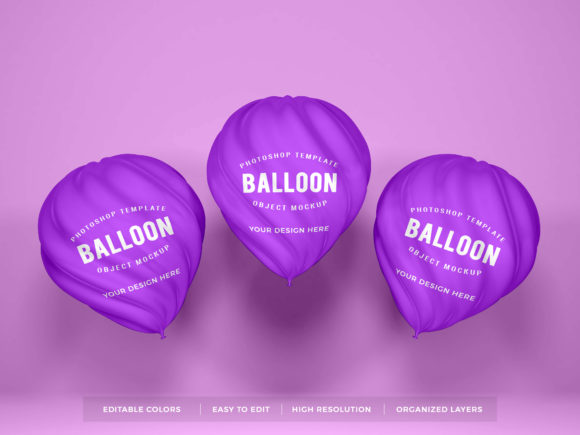
The utility of the Balloon Stamp Brush for Procreate Vol.2 doesn't stop at the screen. Many users leverage these digital creations for tangible DIY projects. Because the designs are crisp and scalable, they are ideal for transferring onto various physical media. Small business owners often use these brushes to generate mockups for personalized T-shirts, apparel, and cups before printing.
If you run a shop selling vinyl decals, stickers, or home decor items, this brush set allows you to rapidly prototype new product lines. You can design a sticker sheet featuring a lineup of gnome characters or create a custom card stock invitation suite. The process is straightforward: draw your design in Procreate, export it as a high-resolution image, and send it to your printer or cutting machine. The options are truly endless when you consider how easily you can adapt the color schemes to match any brand identity or personal preference.
Integrating with SVG Cut Files
For those who prefer working with vector graphics, the ecosystem surrounding these brushes includes complementary resources. You can download DIY 3D Number Balloon SVG Design Clip Art cut files that align perfectly with the aesthetic of the Procreate brushes. These files are essential for anyone using Cricut or Silhouette machines to create precise cuts for vinyl projects. By combining the artistic freedom of the Procreate brushes with the precision of SVG cut files, you achieve a level of detail that stands out in both digital and physical formats.
How to Get Started with Your Design
Getting started is incredibly simple. Upon purchase, you will receive a ZIP archive containing all the necessary files. Inside, you will find .brushes file formats ready to be imported directly into the Procreate app. Once imported, the brushes appear in your library alongside your other tools, ready for immediate use. There is no complicated installation process or external software required.
To begin, select the brush you wish to use and start drawing on your canvas. As you move your stylus, the 3D balloon shape will follow your hand, complete with realistic lighting effects. If you are building a character, you can layer different parts—such as eyes, mouths, and accessories—to construct a unique figure. For example, you might use the included Build Gnome brush to add a whimsical touch to a garden-themed design. You can change the color of each element on the fly, experimenting with gradients and solid hues until you find the perfect look.
Important Considerations for Success
While the tool is user-friendly, there are a few things to keep in mind to get the best results. First, ensure you have a stable internet connection to download the ZIP archive and install the brushes correctly. Second, familiarize yourself with the layering capabilities of Procreate. Since the brushes are designed to stack, understanding how to manage layers will help you create more complex compositions without muddying your artwork.
Additionally, consider the intended resolution of your final output. If you plan to print large banners or posters, make sure to set your canvas size appropriately before starting your design. While the brushes handle scaling well, starting with a high-resolution canvas ensures your details remain sharp when transferred to physical products like T-shirts or home decorations.
Why Choose This Tool Over Others?
In a market filled with generic clip art and basic brushes, the Balloon Stamp Brush for Procreate Vol.2 stands out due to its specialized focus on 3D character construction. It offers a cohesive system where every part works together harmoniously. Whether you are a blogger creating eye-catching thumbnails, a marketer designing social media ads, or a hobbyist making gifts for friends, this tool saves time while elevating the quality of your work. It empowers you to produce professional-grade illustrations that feel handmade yet are created with modern efficiency.
All rights reserved © 2020 eDigitalStudio. By utilizing these resources, you join a community of creators who are redefining digital crafting with accessible, high-quality tools.